1. Webhooks
  • API Docs Colombia 🇨🇴
  • Online Payments
    • Release Notes
    • Card Payments
      • Request a card token
      • Make a charge or deferred charge
      • Create payment (tokenless)
      • Void a transaction
      • Refund a transaction
      • Request deferred options
      • Authorize payments
      • Preauthorization (tokenless)
      • Reauthorize payments
      • Capture an authorized payment
      • Verify Account
      • Validate OTP
      • Bin Info
      • BIN info V2
    • One-Click & Scheduled Payments
      • Request a recurring charge token
      • Create a recurring charge
      • Make an One-click payment
      • Update recurring charge card data
      • Cancel a recurring charge
      • Update a recurring charge
      • Add a temporary charge or discount
      • Authorize payments
      • Capture an authorized payment
      • Get recurring charge Info
    • Chargebacks
      • Query chargebacks
      • Request chargeback export
    • Transfer in
      • Get Bank List
      • Request a Transfer In token
      • Init Transaction
      • Get Status
    • Transfer out
      • Get Bank List
      • Get Bank List V2
      • Request a Transfer Out token
      • Init Transaction
      • Get Status
      • Balance for Payouts
    • CASH-IN
      • Request a cash in token
      • Init Transaction
      • Transaction Status
      • Delete a cash in transaction
      • Update a cash in transaction
    • Cash-out
      • Request a cash out token
      • Init Transaction
      • Transaction Status
      • Update a cash out transaction
      • Delete a cash out transaction
    • Smartlinks-v2
      • Create a Smartlink
      • Get a Smartlink
      • Update a Smartlink
      • Delete a smartlink
    • Analytics
      • Get transactions list v1
      • Get transactions list v2
    • Gateway-status
      • Get gateway status
      • Get platform status
    • Payment Credentials
      • Create a credential
      • Search credentials
      • Advanced search
      • Delete credential
      • Regenerate a credential
      • Activate or deactivate
      • Update credential
    • Payment Button
      • Create a payment button
    • Settlement
      • Query settlement
    • Subscription Transactions
      • Get subscription transactions
  • Kushki One
    • Cloud Services
      • Payment
        • Charge
        • Authorization (Pre-auth)
        • Capture
        • Re-authorization
        • Post-tip
        • Void
        • Refund
        • Abort
        • Transaction Search
      • Print
        • Create Print Job
        • Get Print Job Status
    • Local Services
      • Payment
        • Charge
        • Authorization (Pre-auth)
        • Capture
        • Re-authorization
        • Post-tip
        • Void
        • Refund
        • Abort
        • Transaction Search — Online
        • Transaction Search — Local
      • Print
        • Create Print Job
        • Get Print Job Status
        • Print Job Webhook (inbound — implemented by your POS)
  • API RAW CARD PRESENT PAYMENTS
    • Release Notes
    • Error Catalog
    • The Amount Object
    • Key Exchange Process
    • Test data
    • Card Information
      • Get BIN Info
      • Balance inquiries
      • BIN info V2
      • Request deferred options
    • One-time Payments
      • Single payment
    • Two-step Payments
      • Authorization and capture
    • Voids & Refunds
      • Void & Reverse
      • Refund a transaction
    • Query Transactions
      • Transaction Search
    • Webhooks
      • Introduction
      • Good Practices
      • Webhooks-Card Payments
      • Webhooks-Refunds
      • Check your webhooks
  • Appian - Submerchant Register
    • Submerchant Validation in Batch
    • Query submerchant status by requestId/submerchantId
    • Get submerchantIds
    • Get credentials for submerchants
  • Schemas
    • RequestBodies
      • one-and-two-step-payment
    • SubscriptionTransactionsResponse
    • Card
    • Channel
    • Amount-cash-in
    • ChargebackListResponse
    • SettlementDateRangeRequest
    • AmountWithTaxes
    • PrintJobRequest
    • card
    • SubscriptionTransaction
    • networkToken
    • ChargebackItem
    • SettlementTicketRequest
    • AmountCore
    • CommandText
    • amount
    • ErrorResponse
    • currency
    • webhooksItem
    • ErrorResponse400
    • SettlementResponse
    • ExtraTaxes
    • CommandColumns
    • extra_taxes
    • Amount
    • ErrorResponse401
    • SettlementRecord
    • ColumnItem
    • pos_details
    • extraTaxes
    • ErrorResponse403
    • TransactionResponse
    • CommandDivider
    • card_details
    • Deferred
    • Country
    • payment_method
    • ErrorResponse500
    • RawResponse
    • CommandFeed
    • enc_tlv
    • Metadata
    • CardData
    • CommandSpace
    • contact_details
    • ContactDetails
    • AmountWithTip
    • CommandCut
    • deferred
    • sub_merchant
    • documentType
    • Subscription
    • LinkFailure
    • CommandImage
    • metadata
    • orderDetails
    • Language
    • TransactionSearchRequest
    • CommandQR
    • Shipping Address
    • payment_submethod
    • CommandBarcode
    • Billing-Address
    • PrinterError
    • product
    • SubscriptionUpdate
    • PrintJobStatus
    • threeDomainSecure
    • SubscriptionAdjustmentRequest
    • PrintWebhookPayload
    • webhooks
    • headers
    • webhooksChargeback
    • citMit
    • network
    • binInfo
    • messageFields
    • UnexpectedErrorResponse
    • transactionType
    • ExternalReferenceId
    • ExternalSubscriptionId
BienvenidaPerú 🇵🇪México 🇲🇽Ecuador 🇪🇨Colombia 🇨🇴
Chile 🇨🇱
BienvenidaPerú 🇵🇪México 🇲🇽Ecuador 🇪🇨Colombia 🇨🇴
Chile 🇨🇱
  1. Webhooks

Check your webhooks

Once you have requested the creation of a webhook, you can check it as follows:
Webhooks for card present payments can only be set up through the Console. Webhooks through API are not supported.
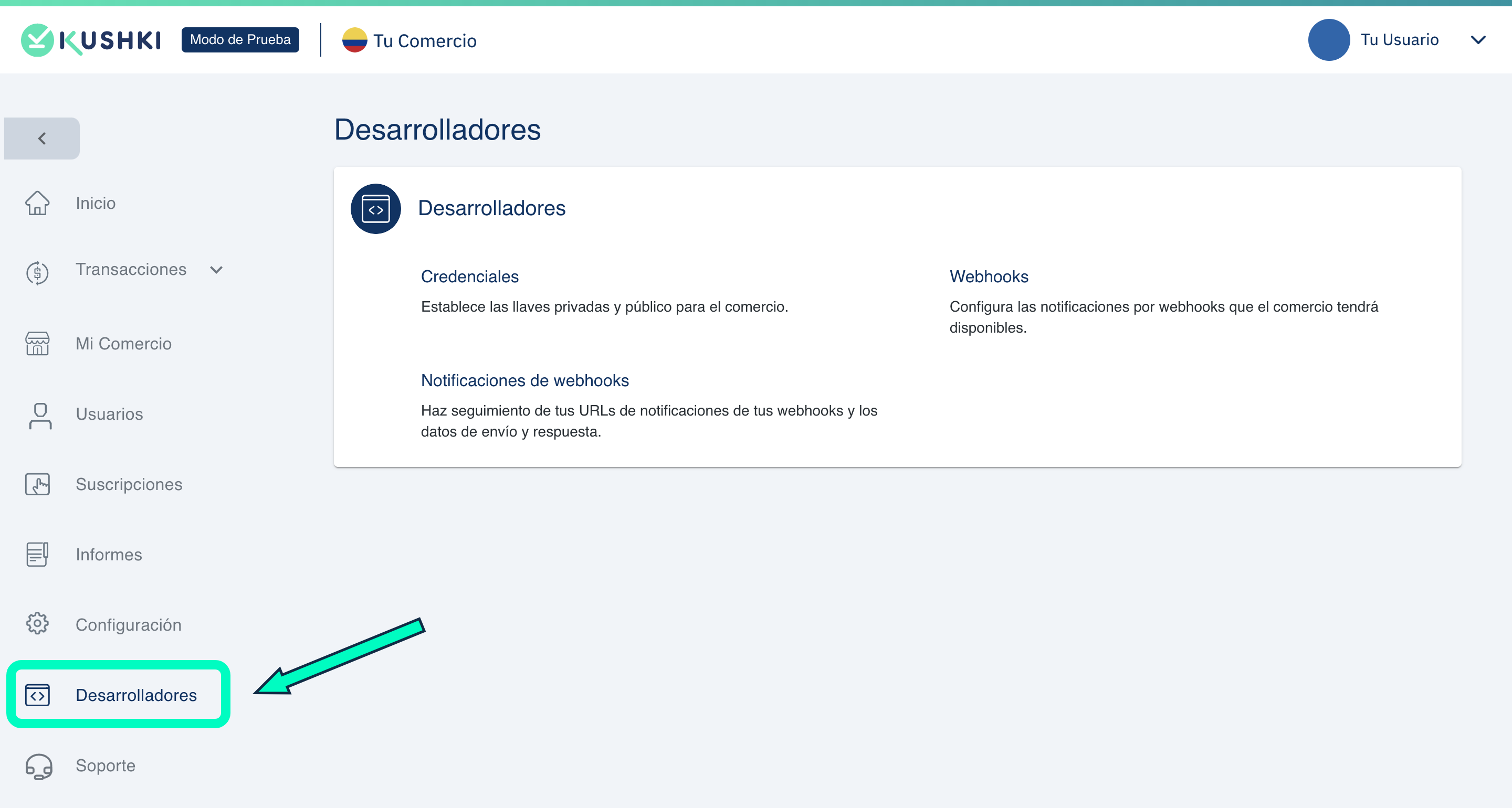
1.
Access the Developers tab, from your Administration Console.
webhooks_desarrolladores
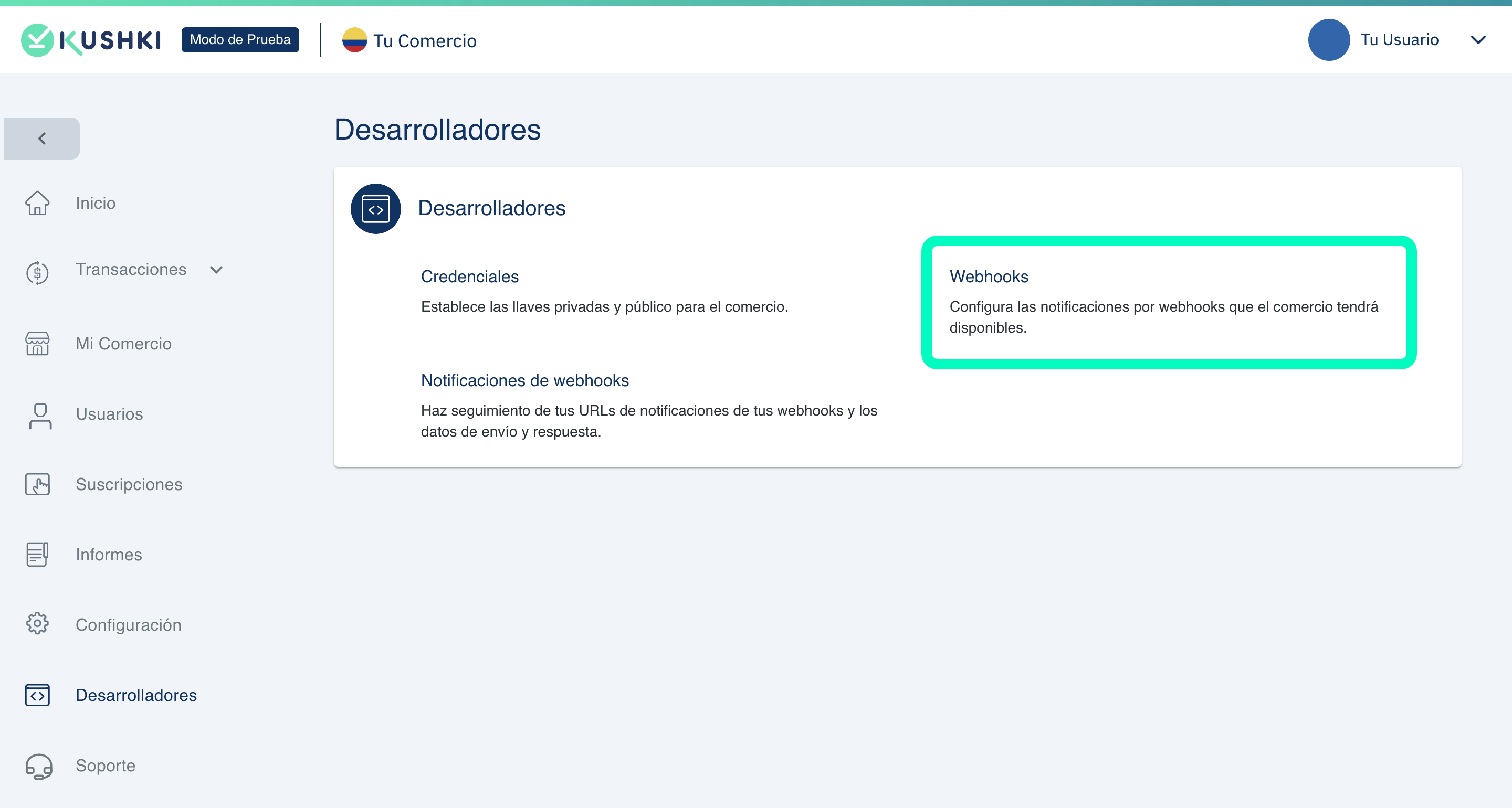
2.
Click on the Webhooks section.
zona-webhooks
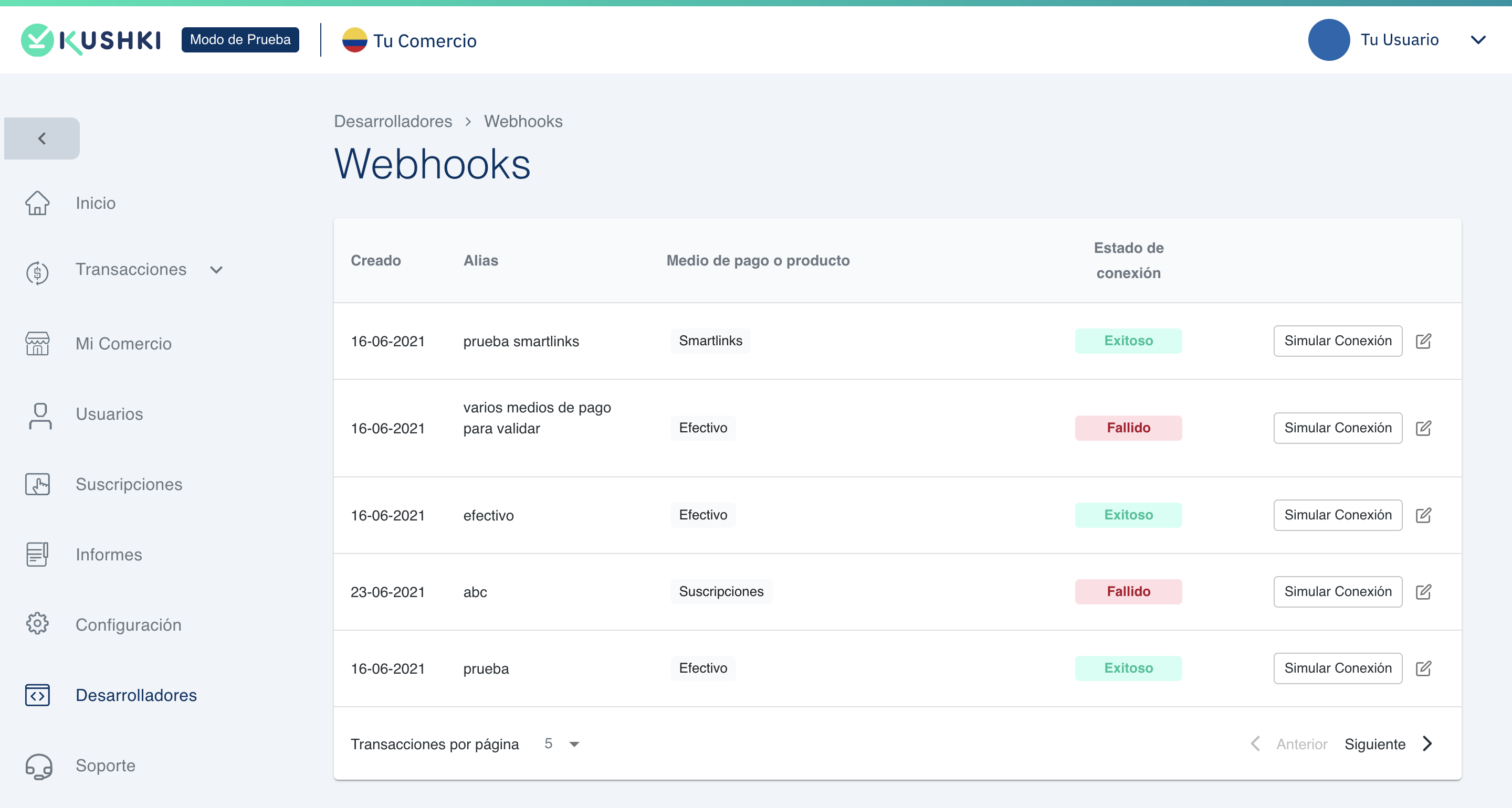
You will see the list of your created webhooks.
Webhooks_lista
In the list of webhooks you will be able to know the creation date, the identification alias, the means of payment or product for which it is configured, as well as the connection status.

Check the URLs and events configured in your webhooks#

To consult the data with which one of your webhooks was configured, click on the label corresponding to Connection Status, whether it has the legend Successful or Failed.

Simulate a connection#

You can simulate a notification by clicking on the Simulate connection button, and entering the means of payment or product, the event and the corresponding code section.

Edit the headers of your webhooks#

Once your webhooks are created, you will be able to add custom headers for each one (additional to the headers sent by Kushki), as follows:
1.
Click the edit icon to the right of one of your webhooks.

Add a label and a string for your header.
2.
Click on Save Webhook.

To add another header, click the + button
You can add up to 4 custom headers.
Modified at 2026-07-21 21:59:12

Previous
Webhooks-Refunds
Next
Appian - Submerchant Register
Built with