Learn how to cancel a payment or request a refund for your customersThis functionality is available for the following models:
☑ Acquirer
☑ AggregatorKushki only supports returns in card payments. To manage returns of payments made by wire transfer or cash, you must carry out the process manually, in agreement with your customer.
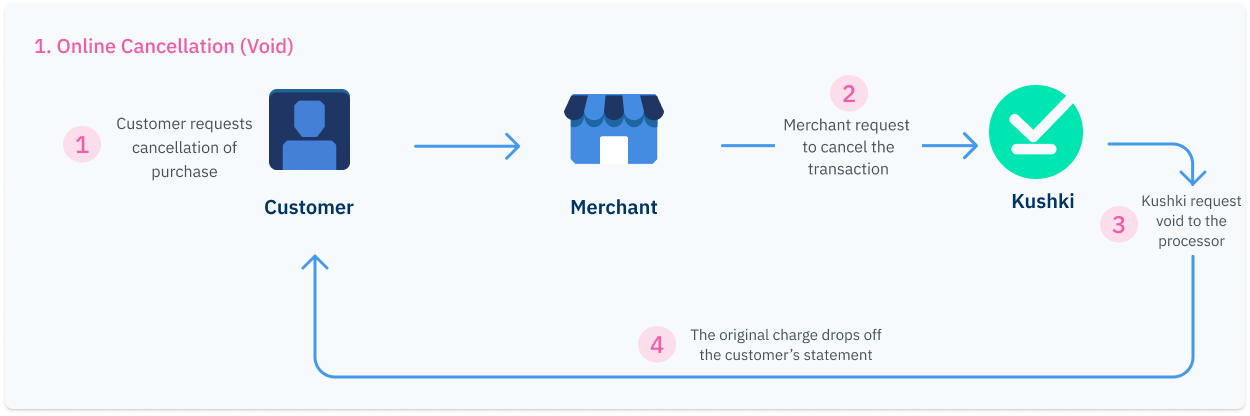
1. Online cancellation (Void)#
This occurs when the refund request is processed on the same day as the transaction. For the aggregator model (gateway), it applies up to 3 hours after approval; meanwhile, for acquiring, it is processed on the same day before 23:59 hours. We will make up to three return attempts with the processor and if successful, the purchase will be removed from your customer's bank statement and the purchase amount will be returned to his/her account.2. Refund#
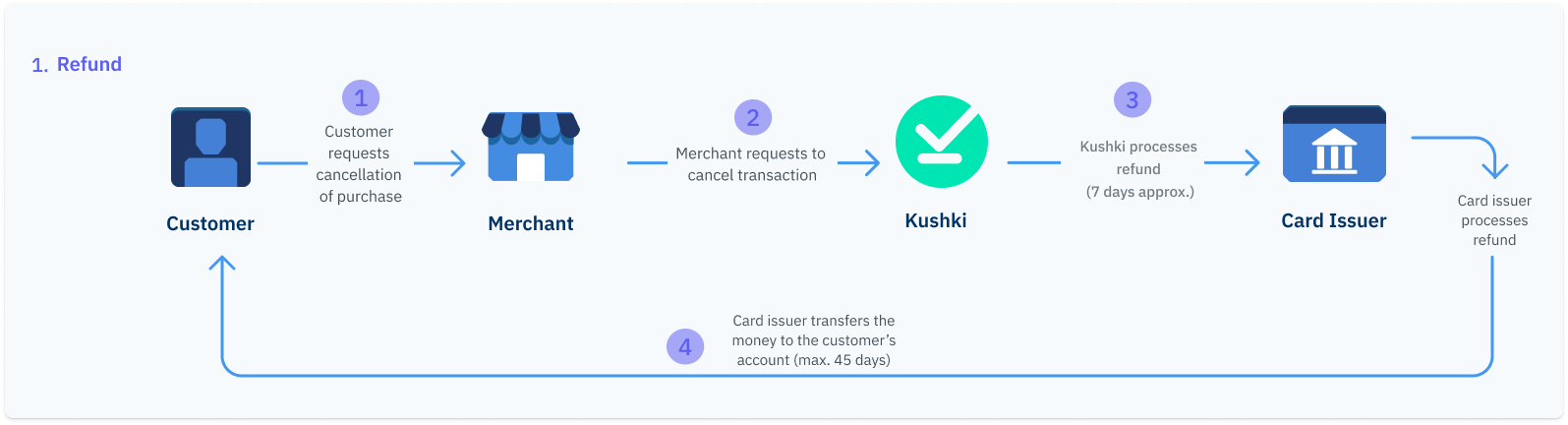
When an online cancellation is not possible, a refund will be required. This type of refund can take up to 7 business days to be processed and up to 20 business days to appear on your customer's bank statement, depending on the card issuing bank.Refund can occur in the following scenarios:When the return requests are processed under the following conditions:
When the three online cancellation attempts fail.
When the cancellation request is made on a day other than that of the original transaction.
How to process a return?#
The return process can have two outcomes: Void or Refund. The return will be done as void if it is requested on the same day as the transaction and meets the following timeframes:Aggregator Model (Gateway): Up to 3 hours after approval.
Acquiring Model: Before 23:59 PM on the day of the transaction.
If you integrate returns via API, you only need to use the cancellation request method. In case it is not possible to complete an automatic cancellation of the transaction, Kushki will process it as a manual return. Once a return request is approved, this action will not be reversed.
ticketNumber of the original transaction as path parameter and send your private credential, as shown in the example below:What is the time limit to request a refund?#
The time limit for your customers to request a refund varies depending on the affiliation model:| Aggregation (Gateway) | Kushki Acquiring (Local) | Kushki Acquiring (International |
|---|
| Up to 90 days after a payment has been made. | Up to 120 days after a payment has been made. | Up to 120 days after a payment has been made. |
How to process a partial return?#
You can allow your customers to request partial returns using the same transaction cancellation endpoint. Therefore, a single charge may have multiple related return requests, provided that the sum thereof does not exceed the total amount of the original transaction.Kushki only supports partial refunds on credit card payments. To manage refunds of debit card payments, you must perform the process manually, in agreement with your customer.
Partial returns via API#
In order to request a partial return, you can use the cancellation request endpoint. You must send the ticketNumber as path parameter, your private credential and the amount and taxes breakdown in the amount object. Make sure that the calculation of taxes and amounts is correct.How to check the status of a return?#
You can check the status of a cancellation from your Administration Console as explained here or set up a Webhook for returns, in which Kushki will notify you when a return request, either a cancellation (void) or a refund, is successfully completed.
Recommended
Check the status of your returns