
Webpay Plus Payments
Web
Android
iOS
To keep in mind
How does it work?
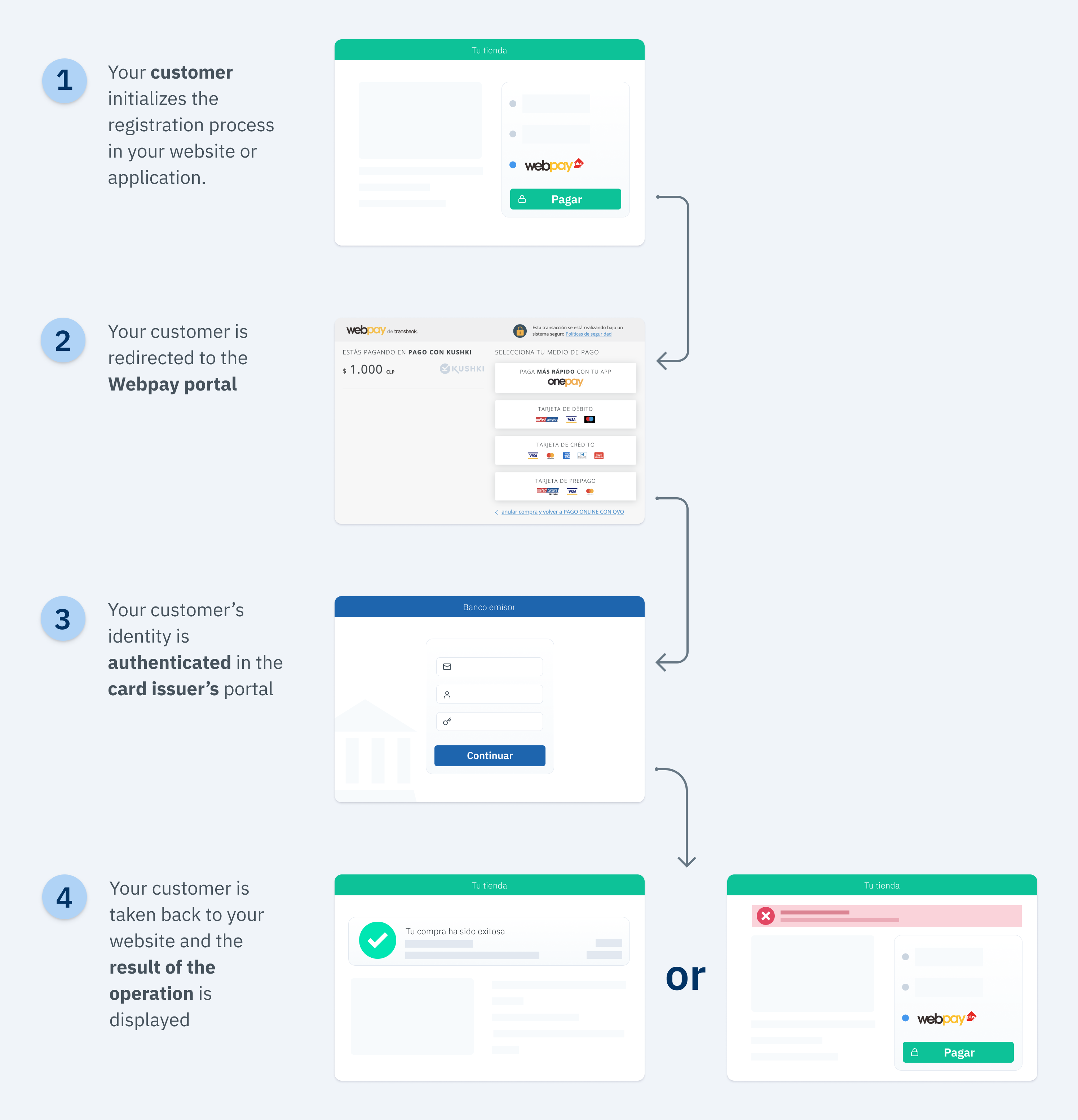
1.
2.
3.
4.
5.
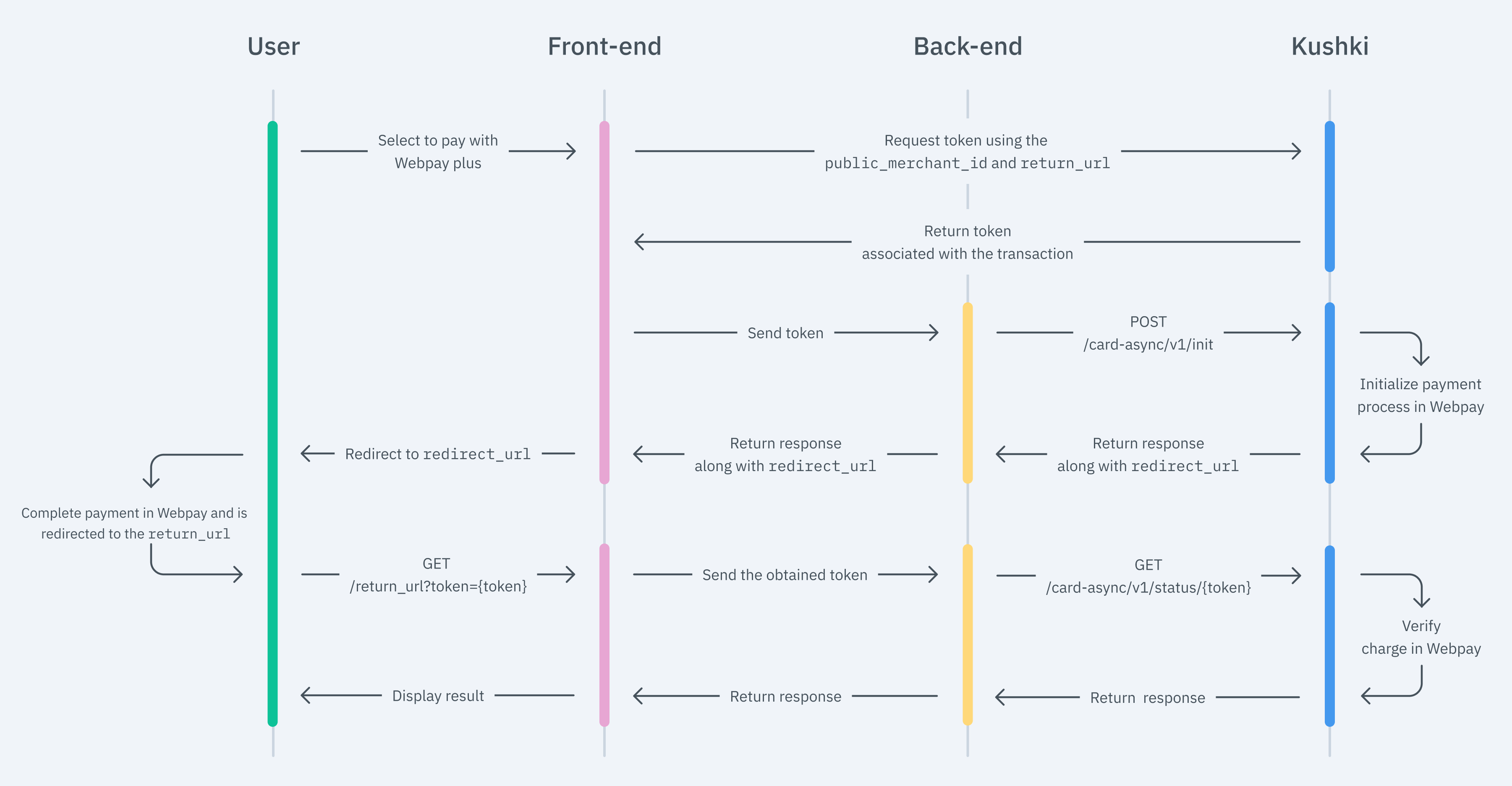
1. Set up your Front-end
Kajita
Create and customize your Kajita
Set up Kajita
kushki-checkout.js script in your payment page by adding it to the <head> of your HTML file. Always load kushki-checkout directly from cdn.kushkipagos.com. Do not include the script in a bundle or package or host a copy of it.<body>, where you want the payment form to be displayed.Add Kajita to your Website
<body>, where you want the payment form to be displayed.action form according to the corresponding endpoint in your back end.script tag. Make sure that the form has been uploaded.return_url, which is where the user will return after completing the payment process in the Webpay portal.Kushki.js
Set up Kushki.js
Option 1 - CDN
script tag at the end of the <body> of your payment page.Option 2 - NPM
Set up Kushki object
Collect User Information and Send it to your Back End
2. Set up your Back End
JavaScript
redirect_url that you must use to redirect the user to the Webpay payment portal to proceed to the payment.Frame, Panel, or IFrame. Also, avoid using functions such as pop-up windows, as they can be blocked by the browser. Redirect the user within the same tab or window.3. Capture the Response
GET call to the return_url provided as a parameter in step 1. This call will be accompanied by a parameter called token placed in the path, which stands for the transaction's unique identifier.return_url = "http://www.example.com/return the customer will be taken back to:GET http://www.example.com/return?token=020199203102301203token is equal to 0201992031023012034. Test your Integration
Approved transaction
405188560044662312311.111.111-1123Transaction declined
1235. Prepare your Certification
Explore this section

Modificado en 2026-10-14 19:49:54