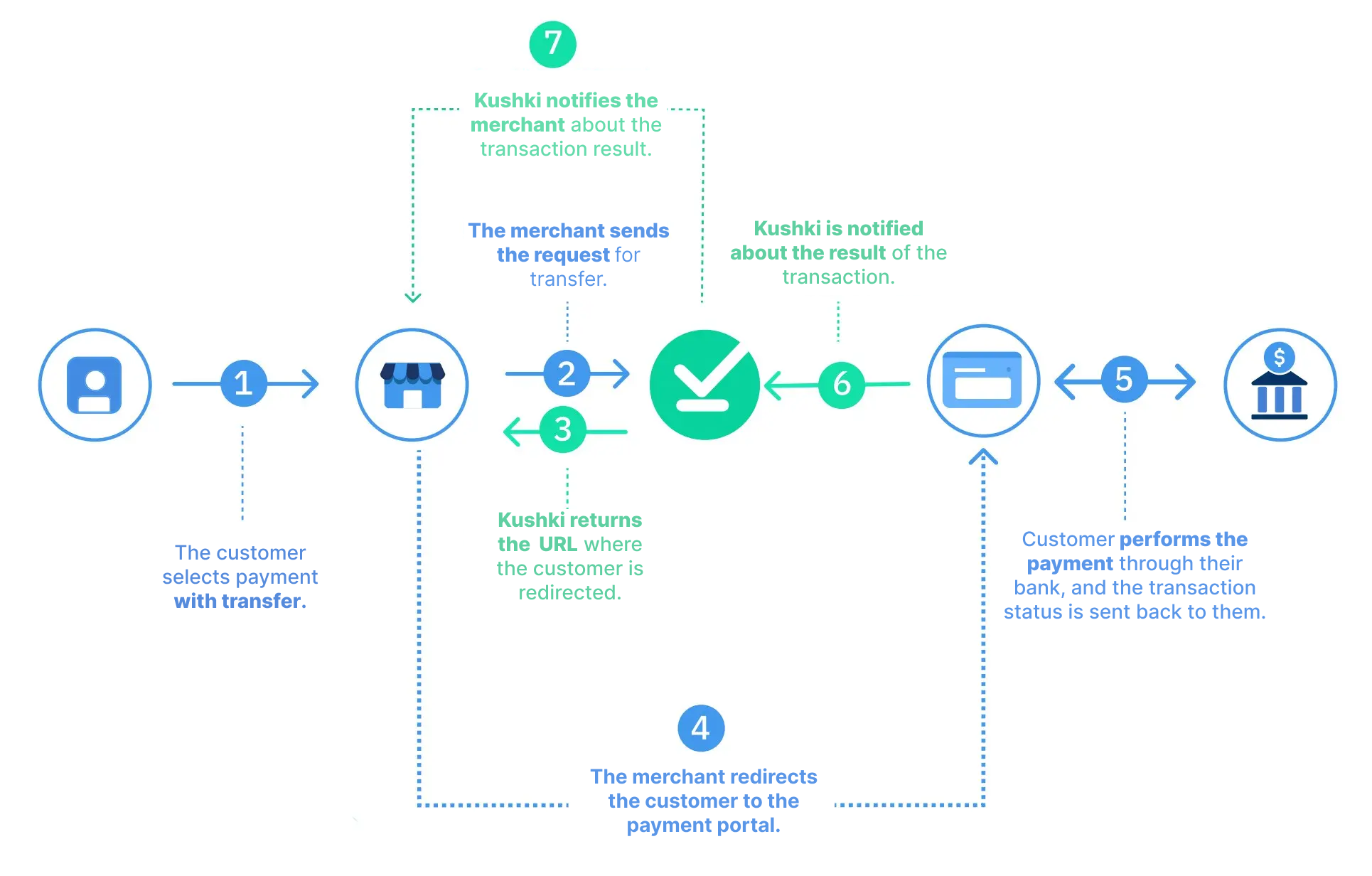
We explain how a payment by wire transfer works in KushkiIf your users do not have a credit card or wish to use the available balance in their bank accounts to make an online purchase, the account debit (wire transfer) is the ideal and fast payment option.
The payment process by wire transfer consists of allowing your customer to use the available balance in their bank account to pay for a purchase on your website or app. To do so, you must redirect your customer to the Wire transfer system, which can be configured from your console to authorize the transaction amount to be debited from their account.
1. Selection of the payment method and the creation of the transactionWithin your App or website, the user must select wire transfer as payment method.2. The user completes the data of your formWithin your app or website, the user fills in the data that you configure in your payment form and clicks on "Pay" or in the CTA determined by you.
Choose the bank in which the transaction will be done
If you wish, you may send the bank in which the user will do the transfer, otherwise you can select it from the list that will be returned in the URL.
3. Kushki returns the URL to which you must redirect the userKushki confirms the creation of the transaction and returns the URL to which you must redirect the user to make the transfer.4. Redirection to the Wire Transfer SystemThe user is redirected to the website of the Wire Transfer System.5. Payment by transferWhen the user authenticates, verifies the transaction details (description of the transaction, amount, and account to be debited), and accepts that the corresponding amount will be debited from the balance of their account.6. Confirmation of the debitWhen the user authorizes the transfer, the bank entity confirms to Kushki the result of the transaction.__7. Kushki notifies you of the transaction status. __
Customize the Wire Transfer Portal
Kushki gives you the possibility to customize the Wire Transfer System from your administration console. Click here for more information.