OTP (One-Time Password) is another layer of online protection against financial fraud.This functionality is available for the following models:
☐ Acquirer
☑ AggregatorPlease contact us to activate OTP in your merchant. This feature is only available for Web integrations in one-time card payments.
OTP authentication availability#
By affiliation models#
OTP authentication is available when processing transactions with the following card brands:Aggregation#
Credit card and debit card#
| VISA | MasterCard |
|---|
| Supported ✅ | Supported ✅ |
By integration methods#
OTP authentication is available in the following integration methods:| Supported ✅ | Not supported ❌ |
|---|
| Integration with Shopify | iOS integration (SDK) |
| Integration with Smartlink | Android integration (SDK) |
| Integration with Kajita | |
| Integration with payment button | |
| Integration through API | |
| Kushki.js integration | |
| Kushki.js Hosted Fields integration | |
Due to our risk policies, the available payment methods and the integration type may vary once you complete the affiliation. We will tell you how to proceed if this process applies to your merchant.
How does it work?#
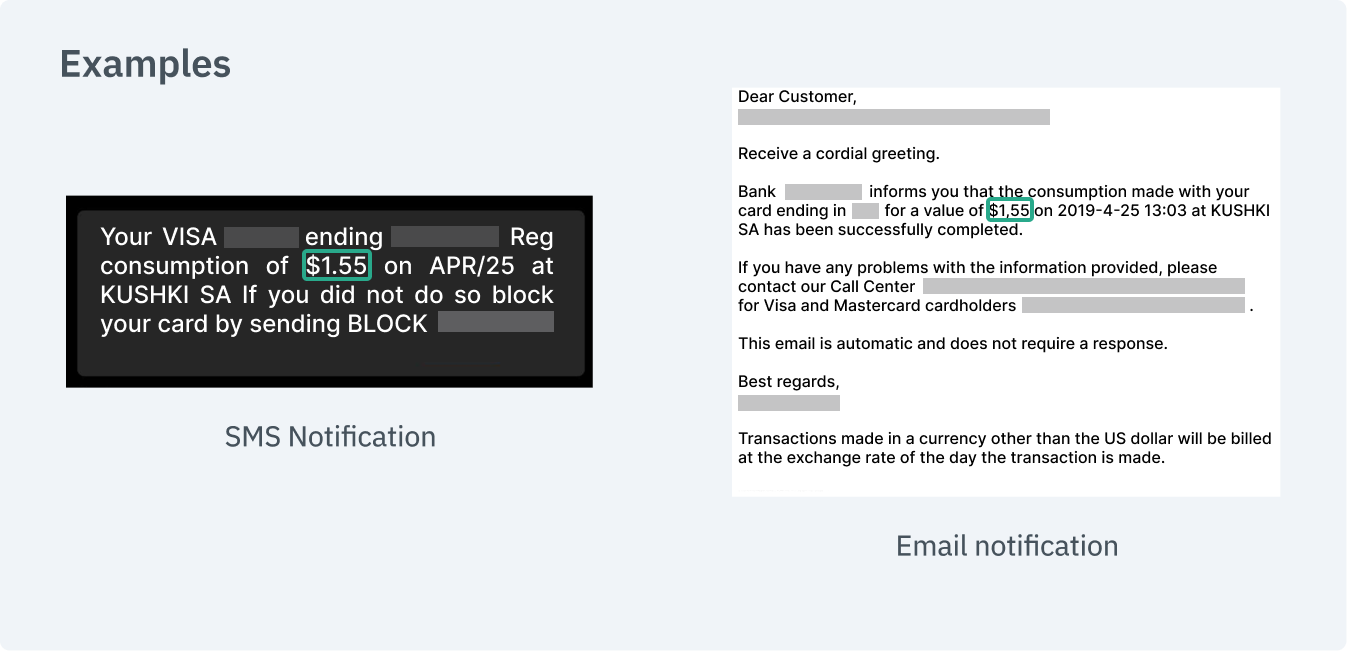
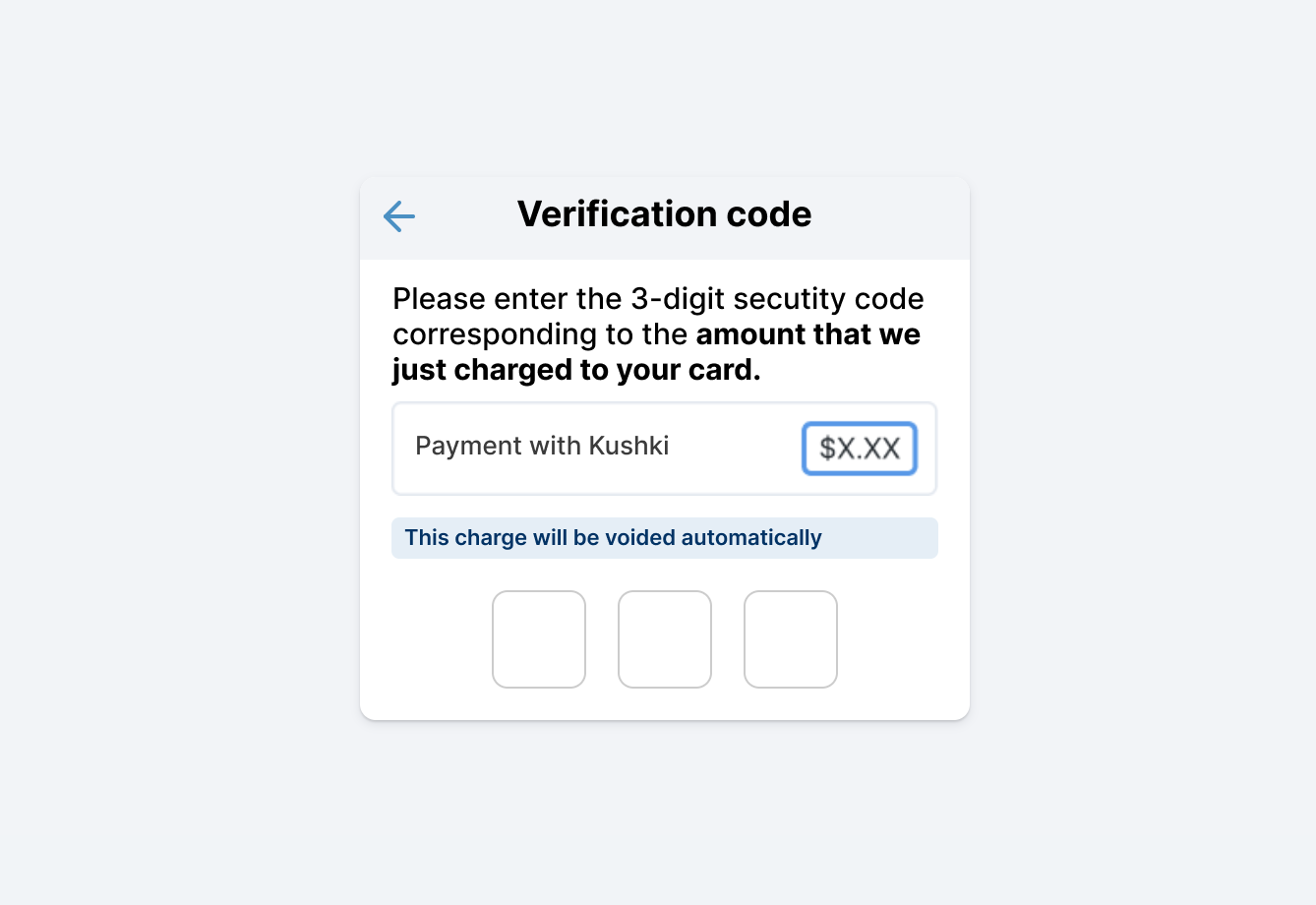
After the user completes the form and clicks on the payment button, a small charge of a random three-digit amount will be made to the user's card (between 1 and 2 USD). The amount charged must be entered by the user to authenticate the transaction. The user will typically be able to verify this amount in the notification or email sent by the bank (if the alert and notification service is active) or directly in their bank account. This charge will be automatically canceled in a couple of minutes.Once the payer checks the amount charged, they must enter this number in an interface that will be shown to your users to validate the transaction. The following is an example of the interface and the message you can present to capture the validation amount:The OTP expires after 10 minutes.
The user will have 3 attempts to enter a valid OTP. In case all attempts are wrong, the OTP will be approved on the third attempt (even if the data entered is incorrect); in this way, the rejection will be associated with the charge request. Normally, it will be associated with the rejection K322 code and the K326 subcode. 1. Set up your Front-end#
Set up your front-end according to your integration.Kajita#
Once you set up OTP for your merchant, Kajita will automatically ask for the OTP in each payment attempt. You don't need to do anything else.Kushki.js#
Now, before sending the data to the end-point in your back-end, we must collect the OTP from the user and validate it.When an OTP is enabled, the response obtained from the requestToken() method will be as shown below:Once the requestToken() response is obtained, you will need to display a field in your form to collect the user's OTP.By using the OTP collected the user along with the secureId obtained from requestToken, you must run the requestSecureServiceValidation() method to authenticate the OTP and obtain the code to send it to your back-end.Kushki.js Hosted Fields#
If you need to validate the OTP code, you can use the onOTPValidation() method on your card instance. It is executed when a value is entered in the OTP field to validate the code. This method returns three callbacks (onSuccess, onError and onRequired), which will allow you to identify the status of the OTP validation in the hosted fields.To implement OTP validation, first add a div container with id otp_id inside your application to display the field for entering the OTP value.Note: The request for OTP validation will be triggered automatically by entering 3 digits in the field.
otp_id container within your CardOptions instance.Finally, call the onOTPValidation() method which will indicate whether or not it is necessary to perform the validation through a callback (onSuccess, onError or onRequired). If validation is required, the field with the id otp_id will be displayed for the user to enter the required information.2. Set up your Back-end#
3. Test your Integration#
You may use test cards in test mode to ensure that your integration is ready. Use them with any CVV and a future expiration date.Approved transaction: 5451951574925480
Declined transaction during token request (front-end): 4574441215190335
Declined transaction in OTP charge request (front-end): 4349003000047015
OTP validation amount: 155
4. Prepare your Certification#
In addition to the guidelines described in the guide, if you are using Kushki.js, you also need to validate the following:There is a message explaining OTP.
The OTP field appears when clicking on pay.
The OTP field must be required.
The OTP field only accepts numbers.
The OTP field allows exactly 3 digits.
Kushki's logo must be visible for the customer. You can find our logo in several formats here.