1. Ecuador 🇪🇨
Kushki Docs
English
  • Español
  • English
  • Home
  • Quick Start
    • Frequently Asked Questions
    • Moving to Production
    • Policy for Important API Changes
    • Test Data
    • Error Codes
    • Latest Features
  • Payment Glossary
    • Payments Glossary
  • One-time card payments (Online)
    • Supported card brands
    • Introduction to 3DS
    • Functionalities by business model
    • How do third party commissions work?
    • Integration guide Third Party Commissions
    • One-step Payments
      • How do Card Payments Work?
      • Accept a Card Payment
      • Accept One-Time Payments with OTP
      • OTP Authentication Error Codes
      • Error codes for single card payments
    • Scheduled payments
      • How do Credit or Debit Card Payment Recurring Charges Work?
      • Create a recurring charge
      • Manage your Scheduled Charges
    • Refunds
      • Returns, cancellations, and refunds
    • 3DS Authentication
      • 3DS API integration
      • 3DS integration with kushki.js library
      • 3DS API integration plus kushki.js library
      • 3DS Error Codes
  • Recurring Card Payments (Online)
    • Functionalities by business model
    • Error codes in recurring charges
    • Authenticate your subscriptions with 3DS
    • External subscriptions to Kushki
    • OneClick Payments
      • Accepting One-Click Payments
  • Wire Transfers
    • How do Payments by Wire Transfers Work?
    • Banks and transaction details for bank transfer payments
    • Receive Wire Transfers
    • Check the Status of a Transaction
  • Cash Payments
    • How do Cash Payments Work?
    • Accept a Cash Payment
    • Authorized locations
    • Error Codes for declined cash transaction
  • Plugins
    • Shopify
      • Shopify
      • Plugin Operation
    • VTEX
      • VTEX Integration Guide
  • Payment Links
    • Smartlinks
  • Payment forms and buttons
    • Kajita
      • How Does it Work?
      • Payment Kajitas
    • Payment Button
      • Overview
      • Generate a payment button
  • Branch Offices Management
    • How to Onboard Submerchants via API
  • Notifications
    • Good Practices
    • Check your Webhooks
    • One-time Payments Webhooks
      • Webhook for One-Time Payments made with a card
      • Webhook for One-Time Payments by Wire Transfer
      • Webhook for One-Time Payments in Cash
    • Recurring Payments Webhooks
      • Webhook for Recurring Payments Made with Card
    • Payment button Webhooks
      • Webhooks with Payment Button
    • Smartlinks Webhooks
      • Webhooks with Smartlinks
    • Refunds Webhooks
      • Webhook for Voids and Refunds
      • Chargeback Webhooks
HomeMexico 🇲🇽Ecuador 🇪🇨
Chile 🇨🇱Colombia 🇨🇴Peru 🇵🇪
HomeMexico 🇲🇽Ecuador 🇪🇨
Chile 🇨🇱Colombia 🇨🇴Peru 🇵🇪
Status
Soporte / Support
English
  • Español
  • English
  1. Ecuador 🇪🇨

Payment forms and buttons

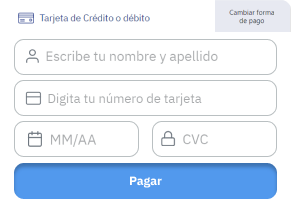
The Payment Button and Kajita are solutions that allow you to charge securely with minimal integration
Add payment buttons and create custom forms quickly and easily.

Get started with our guides#

Explore our guides to integrate Payment Button or Kajita.
Create a payment KajitaAdd Kajita to your siteRead article →
Generate a payment buttonCharge customers with the payment buttonRead article →
KajitaHow custom payment forms workRead article →
Payment ButtonAccept card, transfer and cash onlineRead article →
Modificado en 2026-10-15 15:30:13
Anterior
Smartlinks
Siguiente
Kajita
Built with